Better in-person sessions. Less time.
Dunjii helps you prepare in-person TTRPG sessions. It has tools for drafting, sharing, and printing. All designed to work together and save you time.
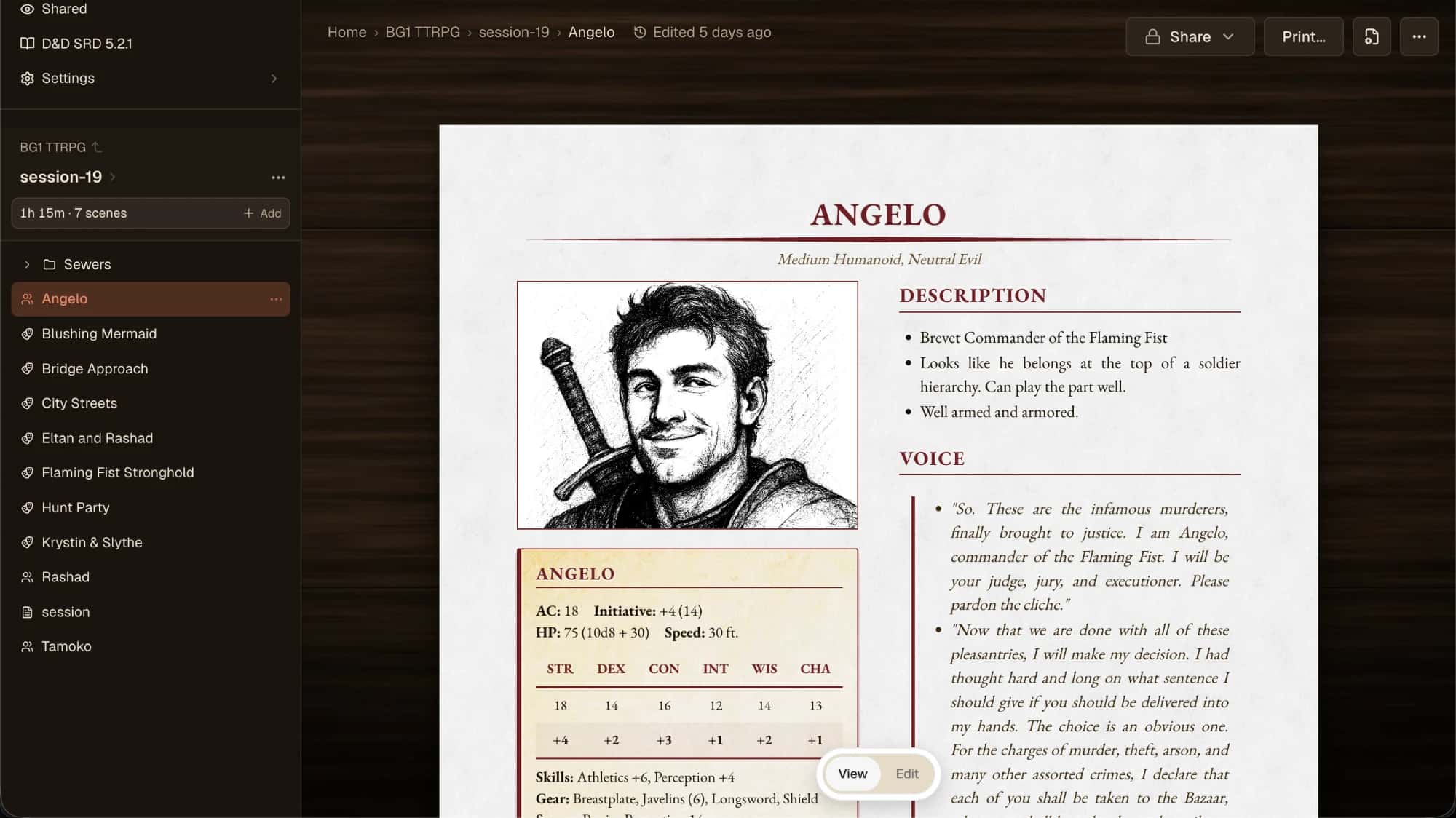
Any of this sound familiar?
You're a new GM...
You want to make sure you have a good session, but you have no idea what to do.
You designed your last session with AI...
The ideas sounded great. But when you went to run it, it made much less sense than you realized.
You spend nights and weekends building an incredible world...
But when it comes time to put something in front of your players, you're not sure how to bring it all together.
When it comes time to play, you can't find what you need in your Google Docs...
You did everything you were supposed to, right? The content was there. So why didn't you use it?
You spent four hours getting your code and styles just right in your homebrew formatter...
But now you're afraid to touch it lest you mess up the formatting. And you're wondering, how much does it really help with your session anyway?
Dunjii helps make it better.
Printed documents optimized for reference at the table
We sweat the details of legibility and print quality, and we do it automatically, so you don't have to think about it. You focus on your content; we make it look good and print-ready, instantly, on any printer.
Dead simple formatting
We theme, split, resize, and adjust to fit standard paper sizes. Quit fiddling with the margins and padding. Just hit Print.
Split up your battle maps for print
Zero effort, even on your old black and white printer. But… how? We'll figure it out for you and make it easy to piece together.
Printable cards for spells, items, and abilities
Put the info your players need directly in their hands. Cut them out or print them on easily portable grids for quick reference.
Token generation and portrait sheets
Optimized for legibility during gameplay, so you can tell the difference between Goblin #1 and Goblin #2.
All the tools you need in one place
Dunjii builds the stuff that make sense right into the product.
Opinionated design that gets out of the way
Structured to point you in the right direction without being annoying.
Edit your documents from the web
Our in-browser text editor is built to make session prep easy.
Everything is versioned, automatically
Make big changes without fear. Roll back to a specific version or a point in time.
Lightning fast search and filtering
Can't remember what a feat does? A particular rule? We've got you covered. Need all the second level bard spells? Boom, there they are. You're sure this NPC has been mentioned before... and here's every reference.
Two-way sync
Make changes to your files locally or in the cloud. They'll both stay up-to-date in realtime. You can do all kinds of advanced stuff. Use the Dunjii CLI to make changes offline, then sync later.
Video
Two-minute walkthrough: writing a session, then printing the packet.
Try it free.
Free
$0
Enough to prep a few sessions.
- 50 files
- 10 images
- 50 MB storage
- 5 MB per file
- 7 days of version history
- Not included: Custom themes
- Not included: Picture styles
Pro
Annual · save 17%
$80/year
For building out your library and campaigns.
- Unlimited files
- Unlimited images
- 10 GB storage
- 50 MB per file
- 90 days of version history
- Custom themes
- Picture styles
Questions you might have
Do I need to know markdown?
Do I have to use the command line?
Is this a virtual tabletop?
What can my players see?
I already keep everything in a notes app. Why move?
What does it cost?
Where can I use it?
Try it out!
The Free Plan comes with all the tools you need to prep and run several sessions.
No card required.